
Remote Medical Billing Security: Access and Device Checklist
Medical billing operations · Reviewed September 10, 2026
A remote biller may use your email system, a provider’s EHR and several payer portals in a single day. Turning off one account does not necessarily remove the others. Build security around that shared-responsibility problem.
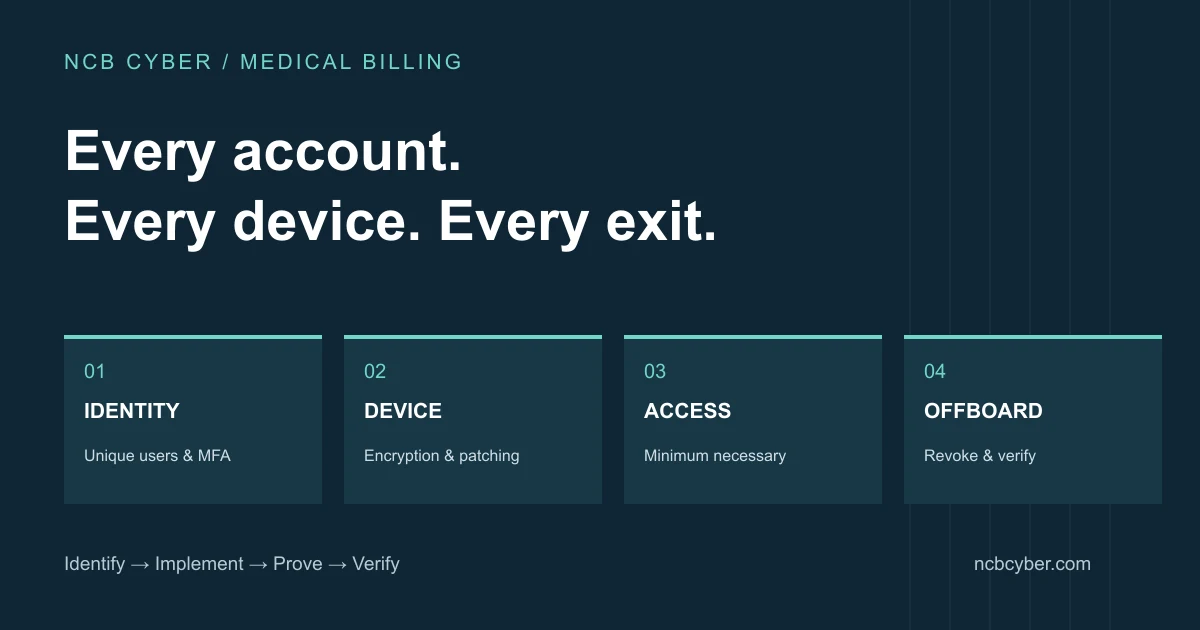
Give every connection an owner
Maintain a register with the system name, business purpose, account owner, access approver, authentication method and revocation contact. Distinguish platforms your company controls from those a provider or payer controls. That distinction determines whether your IT team can change a setting or must request and verify a change.
For example, your MSP might remove a user from Microsoft 365 but have no administrative rights in a client EHR. Operations must then request removal through the provider and track confirmation. Do not close the offboarding task merely because the internal mailbox is disabled.
Use this control-to-evidence checklist
| Area | Practical control | Evidence / owner |
|---|---|---|
| Identity | Individual accounts, MFA where supported, separate administrative access | Account and MFA coverage report / IT |
| Devices | Approved equipment, endpoint protection, supported software and patch management | Device inventory and exception report / MSP |
| Encryption | Managed disk encryption, secure transfer workflows and protected recovery keys | Device status and transfer configuration / IT |
| Anti-phishing controls and a separate verification process for payment changes | Configuration and exercise notes / IT and finance | |
| Access | Roles matched to provider assignments; review access after role changes | Approved access review / operations |
| Logging | Know which logs exist, who reviews them, and how incidents are escalated | Review record and retention configuration / security lead |
| Continuity | Recover critical company data and plan for external platform outages | Restore-test record and dependency plan / IT and operations |
| Offboarding | Revoke internal and external accounts, sessions and shared access | Completed checklist with confirmations / HR and operations |
These are recommended implementation and evidence practices, not a claim that HIPAA mandates each named product or configuration. The current technical safeguards address access, audit controls, integrity, authentication and transmission security. Encryption specifications are addressable: organizations must assess and document appropriate implementation decisions, not simply ignore them. 45 CFR 164.312; HHS addressable specifications guidance.
Handle exceptions without losing visibility
A payer portal does not offer your preferred MFA
Record the limitation and contact the platform owner. Review alternative access paths, available authentication options, account privileges and monitoring. Assign an owner and review date. Do not imply that NCB Cyber can enable a feature inside a third party’s product when it cannot.
A contractor uses a personal laptop
First determine whether the workflow permits local storage or downloads. Consider company-managed equipment or an appropriately configured remote workspace. Document who administers the device, who can access exported data, and what happens at contract end. Apply the result of the risk assessment and the applicable agreements.
Another vendor stores the backups
Ask what data is covered, how recovery is requested and whether restoration has been tested. A green backup dashboard does not demonstrate that the specific business process can be restored. Agree recovery objectives and test a safe sample without exposing patient records.
Illustrative offboarding sequence
- HR or operations records the departure and the approved effective time.
- IT revokes internal access, sessions and managed-device access as appropriate.
- Operations sends revocation requests for provider and payer accounts.
- An owner tracks acknowledgments and unresolved exceptions.
- A second reviewer checks completion against the access register.
Connect technical work to management evidence
Keep records with an owner, review date and defined scope. The Security Rule’s documentation provisions include retention for six years from creation or the last effective date, whichever is later; this is not a blanket rule that every system log must be stored for six years. Set log retention through risk, contracts and applicable obligations. 45 CFR 164.316.
HHS also publishes voluntary healthcare Cybersecurity Performance Goals, useful for prioritizing stronger controls. Keep those recommendations distinct from the currently effective regulation and proposed changes. HHS performance goals.
How CyberGuard supports the workflow
Find the gaps
Map data, devices, accounts and vendors. Agree priorities through a risk assessment and compliance gap review.
Fix what matters
Use CyberGuard to implement scoped endpoint, identity, email, encryption and configuration improvements.
Keep usable evidence
Document settings, approvals, exceptions, policies and completed remediation in a dated evidence register.
Keep checking
Review control coverage, access changes and exceptions, then report progress and next decisions.
CyberGuard can cover scoped device, identity, email and configuration work, with responsibilities agreed alongside your MSP. Security leadership connects those tasks to policies, exceptions and management decisions. Managed services should state monitoring hours, escalation and incident-response scope in writing.
Frequently asked questions
Does HIPAA currently mandate a specific EDR product?
No. HIPAA is technology neutral. Endpoint protection and managed detection can be sensible ways to address identified risks, but a product purchase alone does not establish compliance.
Should staff email PHI to ask for security help?
Use your approved support and secure transfer processes. Do not send PHI, patient records or passwords through NCB Cyber’s public website form.
Does this checklist replace a HIPAA risk analysis?
No. It is a practical operations checklist. A risk analysis must address your actual environment, workflows and risks. Read the linked risk-analysis guide for scoping guidance.
Find the gaps between your tools and your workflow
Start with our ungated readiness check or read the medical billing risk-analysis guide.
Connect the checklist to a working security program.
CyberGuard implements and verifies agreed technical controls. Cyber Compliance connects requirements to evidence. Request a Cybersecurity Control Review to discuss your environment and scope the next step.